 Invoice Preflight
: the checks before you validate a Dolibarr customer invoice
The checks to make before you validate a Dolibarr customer invoice, shown at the moment you click “Validate”. As a warning or as a block, no SQL to write.
Coming soon on DoliStore€39 excl. VAT · GPL v3+ · Dolibarr 20 to 24
Why
Since Dolibarr 23, an invoice that is validated and then downloaded, printed or sent does not go back to draft. The forgotten down payment, the shipping costs not carried over from the order, the line without description are paid for with a credit note and a new invoice. Invoice Preflight warns before, not after.
What you see in the confirmation box
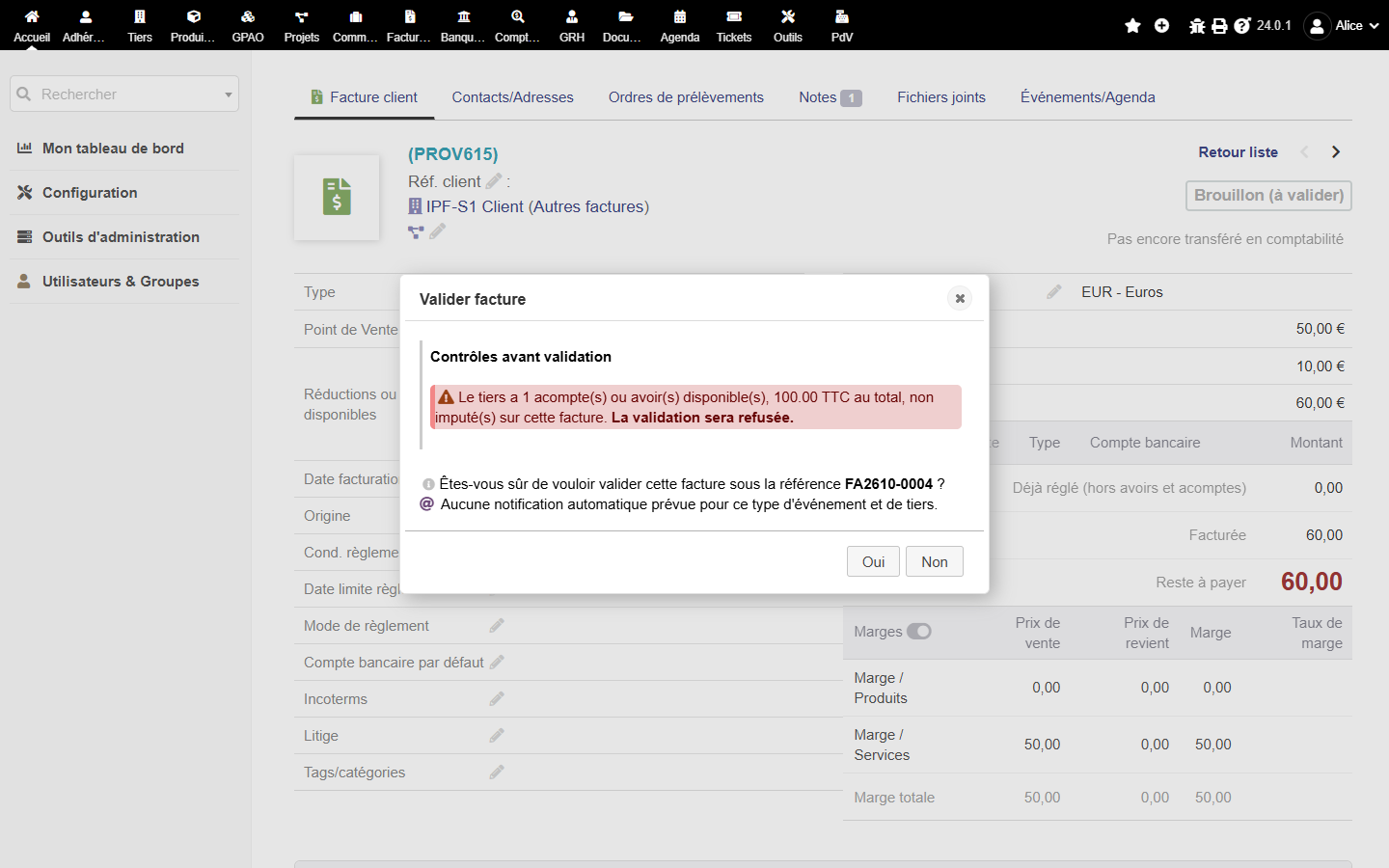
⚠ 1 down payment available for this thirdparty (€120.00 incl. tax) is not applied to this invoice.
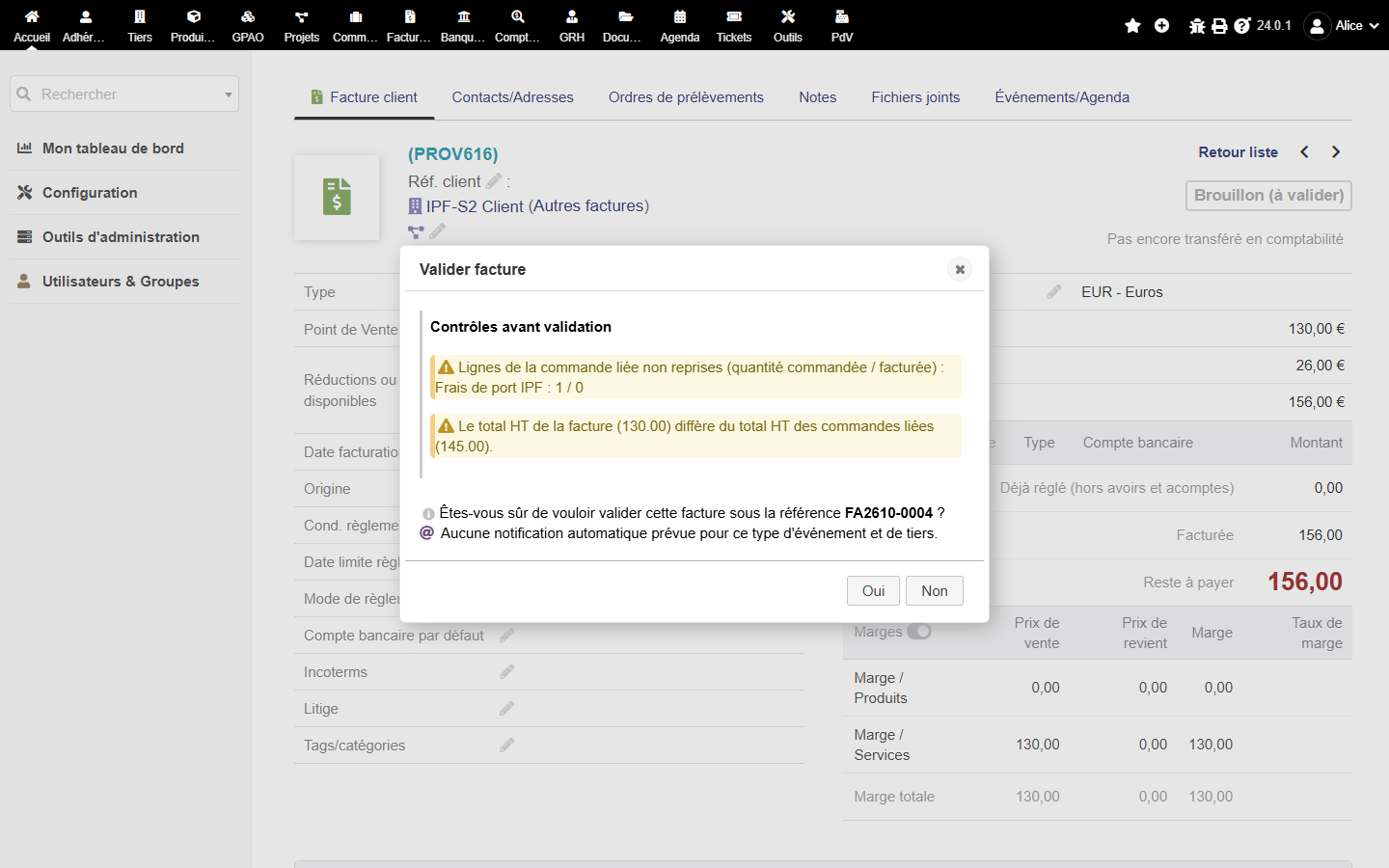
⛔ Line of order CO2610-0042 not carried over: “Shipping costs”, 1 ordered / 0 invoiced. Validation will be refused.
Do you want to validate the invoice with reference FA2610-0031?
The eight checks
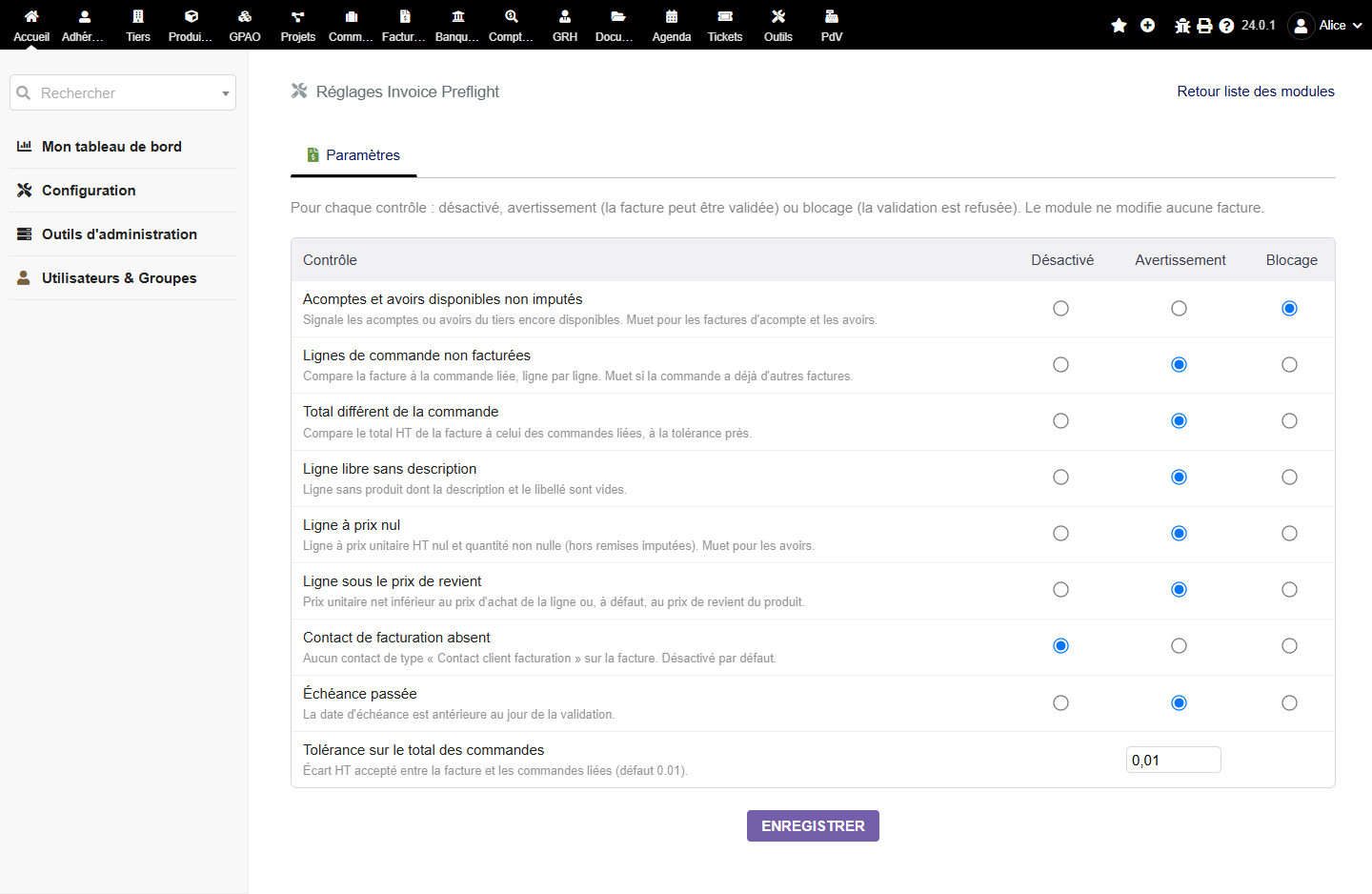
- Down payments or credit notes not appliedThe thirdparty has an available discount this invoice does not use.
- Order lines not carried overA line of the linked order (shipping included) is missing or has a lower quantity.
- Amount mismatch with the orderTotal excl. tax different from the linked orders, beyond an adjustable tolerance.
- Line without descriptionFree line with no text.
- Zero price lineUnit price excl. tax at zero with a quantity.
- Price below costNet price lower than the line buying price or the product cost price.
- Billing contact missingDisabled by default.
- Due date already pastDue date before the day of the validation.
Three modes per check
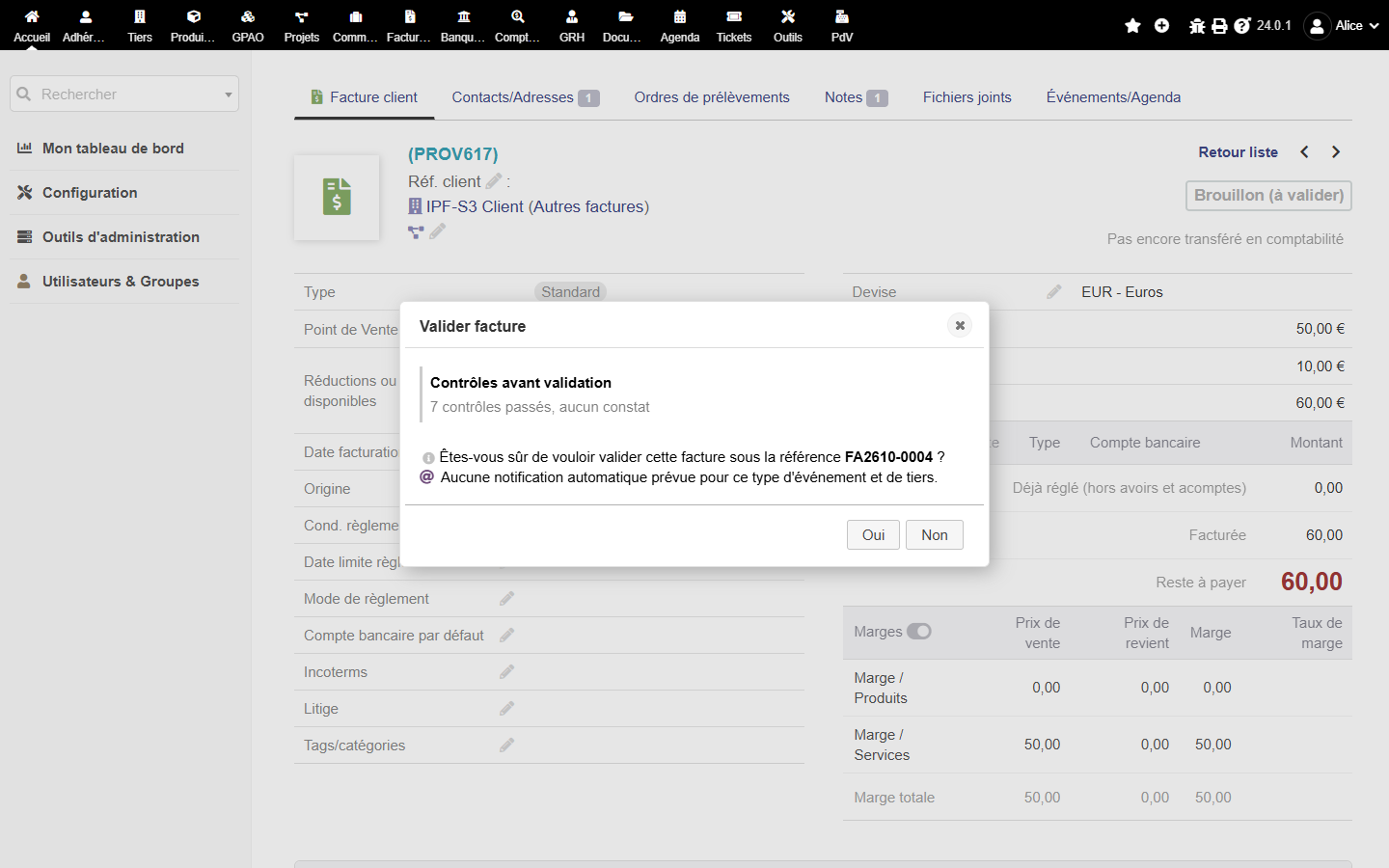
Disabled, warning (the finding is shown, you confirm anyway) or blocking (validation is refused by the standard Dolibarr trigger, the invoice stays in draft). The checks stay silent when they make no sense: no down payment check on a credit note, no order check on a balance invoice nor on a situation invoice.
Read only, open source
No change to the Dolibarr files (one hook and one trigger), no write to the database apart from your settings, no outbound call, no telemetry. Readable GPL v3+ source, covered by unit and integration tests, tested on Dolibarr 20 and 24. What you buy: the package, one year of updates, support by e-mail. Full refund within 14 days.
Security and privacy
Did you find a vulnerability in the module? Write to security@timaub.fr. The same contact is published in /.well-known/security.txt (RFC 9116). First answer within 5 working days.
This page loads no script, no font and no external tracker. Details of the data: privacy.